Starting price
$35/mo
Budget tier
Mid-range
Complexity
Beginner-friendly
Integrations
30+
Best for
SMB outbound teams that want a fast dialer wired to their CRM.
Overview
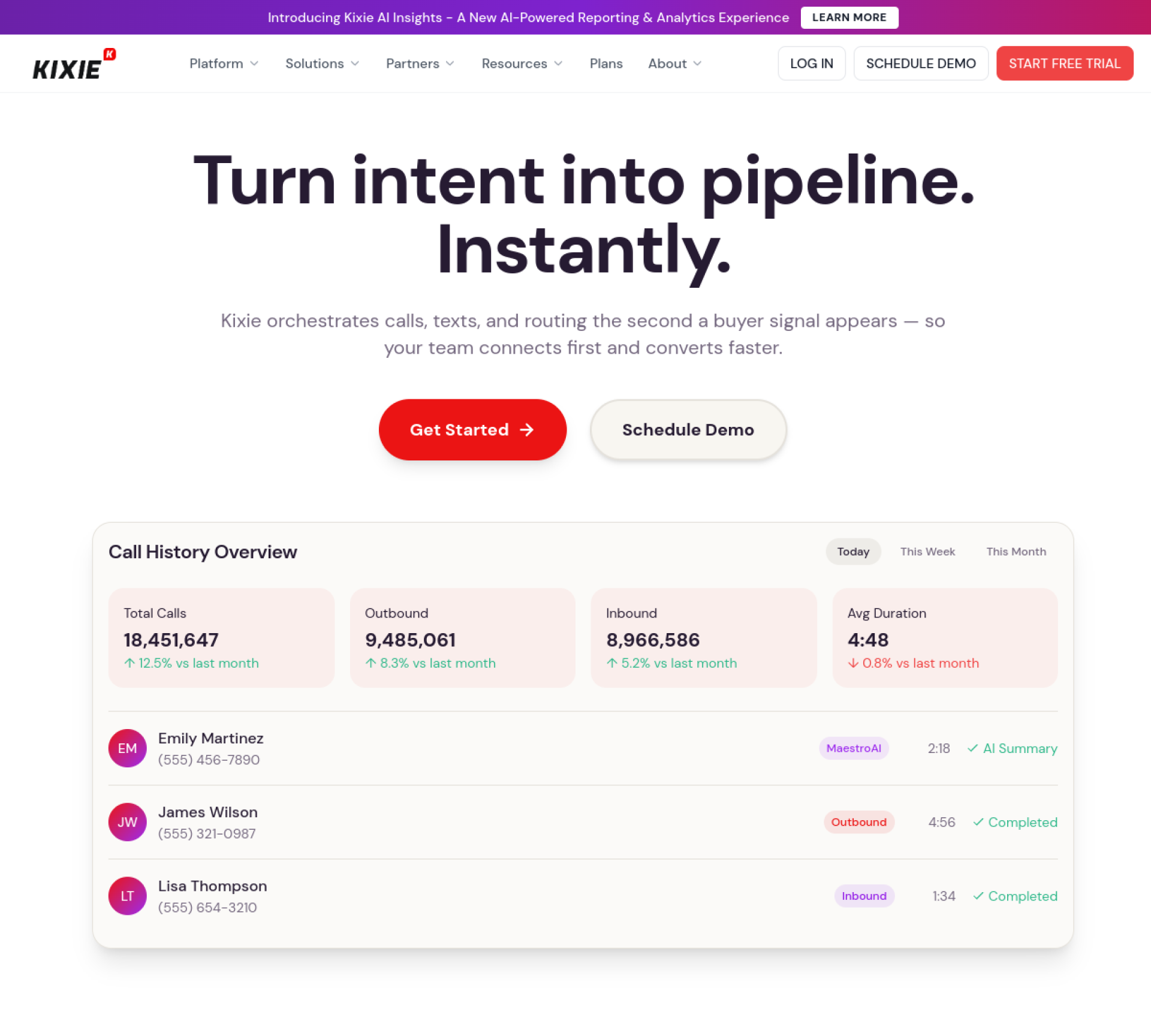
Kixie is a sales-focused dialer and SMS platform with local presence, power dialing, and automatic CRM logging that is quick to deploy. It is popular with SMB outbound teams using HubSpot or Pipedrive.
Founded in 2013 and based in Santa Monica, CA, Kixie competes in the phone system & dialers category. It is easy to get started with, and it is mid-priced for the value it delivers ($35/mo). In practice, Kixie is best for sMB outbound teams that want a fast dialer wired to their CRM.
Teams reach for a sales phone system when calling is a core motion. Reps work through call lists with a dialer, use local numbers to lift pickup rates, and rely on automatic logging so every conversation lands in the CRM. The goal is simple: more live conversations per rep per day, with less manual busywork around each one.
Key features
Here is what Kixie brings to the table, and what each capability means in practice.
Power / auto dialer
A power dialer calls through a list automatically, dialing the next prospect the moment a rep finishes. Removing the seconds spent manually dialing between calls adds up to dozens of extra conversations over a day.
Local presence numbers
Local presence displays a local area code to the person being called, which measurably increases pickup rates. People are simply more likely to answer a number that looks local than an unfamiliar long-distance one.
Call recording
Records and stores calls automatically for coaching, compliance, and follow-up. Recordings become a searchable library managers use to onboard new reps and to settle exactly what was promised on a deal.
Voicemail drop
One-click voicemail drop leaves a pre-recorded message and immediately moves the rep to the next call. It reclaims the time reps would otherwise spend repeating the same voicemail dozens of times a day.
SMS / texting
Two-way SMS lets reps text prospects from the same platform they call from, with messages logged to the CRM. Texting often gets a faster reply than email for confirmations, reminders, and quick follow-ups.
CRM integration
Tight CRM integration logs every call, text, and outcome against the contact automatically. Reps never have to remember to record activity, and the data stays clean enough to actually report on.
API & webhooks
An API and webhooks let teams automate workflows and pipe data into their own systems and dashboards. For RevOps teams, this is what makes the tool a building block rather than a silo.
Priority / 24-7 support
Priority or 24/7 support, often with a dedicated contact, is available for teams that cannot afford to wait on a ticket. It matters most once the tool is mission-critical to daily selling.
Who it's for
Kixie is built for startups and mid-market teams. It is a particularly strong fit for sMB outbound teams that want a fast dialer wired to their CRM, and reps will find it easy to get started with.
It is less of a fit in a few cases. It may be more than solo users with very basic needs require, and if per-seat pricing adds up is a dealbreaker for you, it is worth weighing against the alternatives before committing.
Typical users include high-activity SDR teams dialing all day, inside-sales reps who close over the phone, and support or success teams that need calling wired into the CRM.
Integrations & ecosystem
Kixie connects with around 30+ tools, including HubSpot, Pipedrive, Salesforce, Zoho and Slack. That matters because a sales tool is only as useful as the rest of your stack: the tighter it plugs into your CRM and workflow, the less manual data entry your reps do and the cleaner your reporting stays.
An open API and webhooks mean Kixie can also be wired into custom workflows, internal dashboards, and the rest of your data stack, which is what RevOps teams look for when they want a tool to act as a building block rather than a silo.
Pricing & value
Kixie is mid-priced for the value it delivers. From ~$35/seat/mo; power dialer and SMS automation. The value case is strongest for the teams it is built for: when that is you, the time saved and meetings booked tend to outweigh the cost. If it is not, a lighter tool may serve you just as well for less. As always, the sticker price is only part of the story: weigh onboarding time, the tier your team will realistically land on, and any add-ons before comparing it against the alternatives.
Strengths & limitations
On the strengths side, Kixie stands out for a few reasons: power dialer with local presence; automatic CRM call/SMS logging; and quick to set up and adopt.
The trade-offs are worth knowing before you commit: per-seat pricing adds up; best value within HubSpot/Pipedrive; and not a parallel dialer. None of these are necessarily dealbreakers, but they are the points to pressure-test during a trial.
The bottom line
Kixie delivers sales dialer + SMS with CRM auto-logging, and it earns its place across startups and mid-market teams. The standout reasons to pick it are clear, power dialer with local presence chief among them, while the main thing to weigh is that per-seat pricing adds up. If that trade-off fits your situation, Kixie is well worth a trial.
Pros & cons at a glance
Pros
- Power dialer with local presence
- Automatic CRM call/SMS logging
- Quick to set up and adopt
Cons
- Per-seat pricing adds up
- Best value within HubSpot/Pipedrive
- Not a parallel dialer
Features at a glance
Pricing
$35/mo
From ~$35/seat/mo; power dialer and SMS automation
Pricing verified against the vendor's site in 2026.
Frequently asked questions
How much does Kixie cost? +
Kixie starts at $35/mo. From ~$35/seat/mo; power dialer and SMS automation.
Does Kixie have a free plan? +
Kixie does not offer a permanent free plan, though its pricing (from ~$35/seat/mo; power dialer and sms automation) often includes a trial to evaluate it first.
What is Kixie best for? +
Kixie is best for sMB outbound teams that want a fast dialer wired to their CRM. It is a particularly strong fit for startups and mid-market teams, and reps will find it beginner-friendly to adopt.
What does Kixie integrate with? +
Kixie integrates with around 30+ tools, including HubSpot, Pipedrive, Salesforce, Zoho and Slack.
What are the best Kixie alternatives? +
Leading alternatives to Kixie include PhoneBurner, Close and Orum. You can see the full list, compared side by side, on our Kixie alternatives page. See alternatives →
Similar tools
Kixie in our articles
Guides and comparisons on TheSharkStack that feature Kixie.
- Comparison
Allo vs Kixie: Which Sales Phone System? (2026)
Jun 2026 - Guide
The 5 Best Dialpad Alternatives for 2026
Jun 2026 - Guide
The 5 Best JustCall Alternatives for 2026
Jun 2026 - Comparison
Best AI phone systems for sales teams (2026)
Jun 2026 - Comparison
Best cold calling software for SMB sales teams (2026)
Jun 2026 - Comparison
Best sales dialers: power, parallel & AI dialers compared (2026)
Jun 2026